
Software Operation Instructions
1.1 Startup Interface
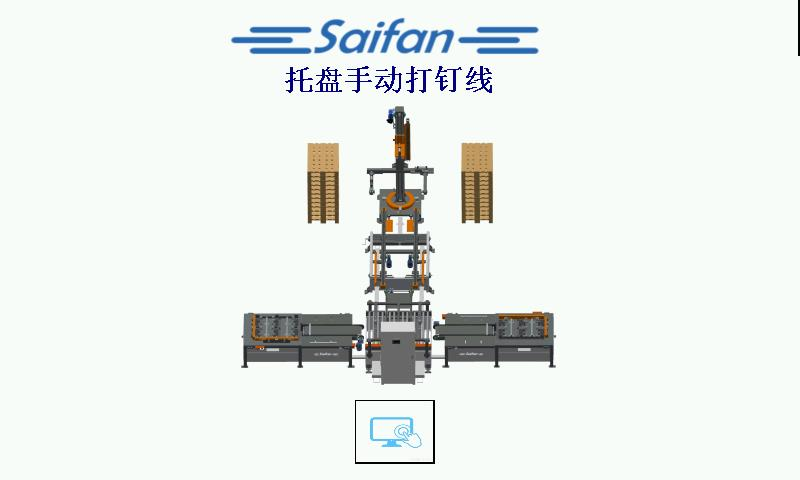
Startup Interface
 :Enter the Production Interface.
1.2 Production Interface
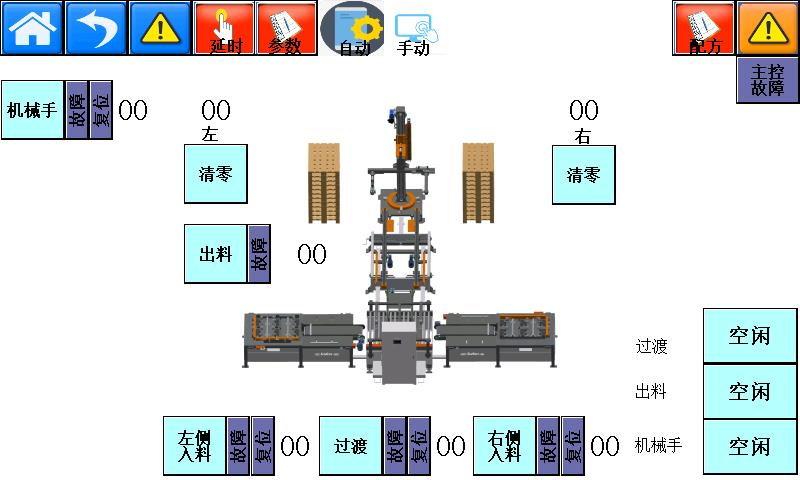
Production Interface
 :Click to Enter the Startup Interface
 :Return to the Previous Level
 :Fault Acknowledgment and Reset Button
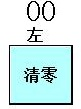 :Palletizing Quantity: After the pallet is fully loaded and removed, reset the count to zero.
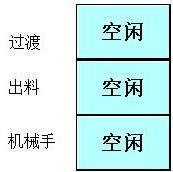 :Displays the Pallet’s Current Operating Station
 :Click to Proceed to the Next Page。
 :Click to Return to the Previous Page.
1.3 Time Settings
 :Click to Enter the Time Settings Interface。
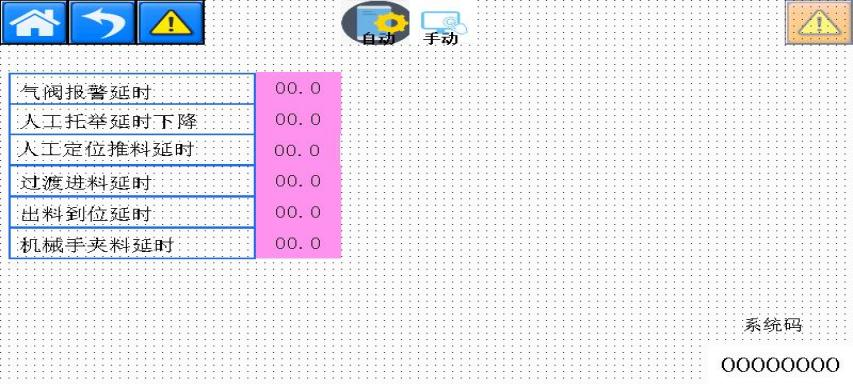
Delay (Time Settings)
1.4 Parameter Interface
 :Click to Enter the Parameter Settings Interface。
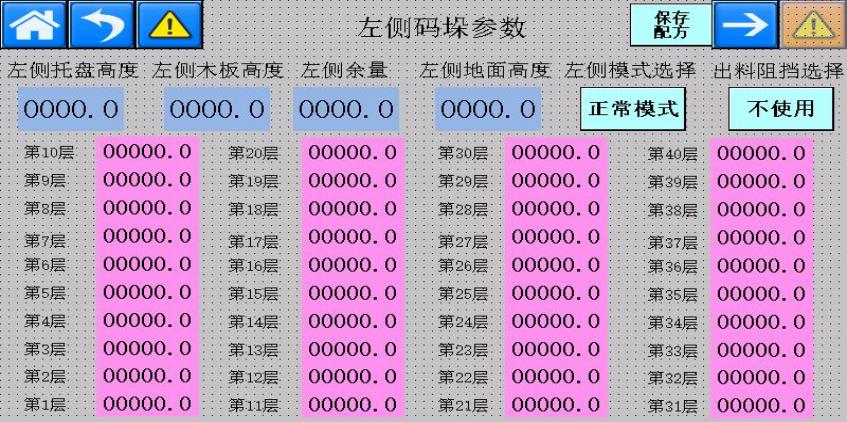
Left-Side Palletizing Parameters
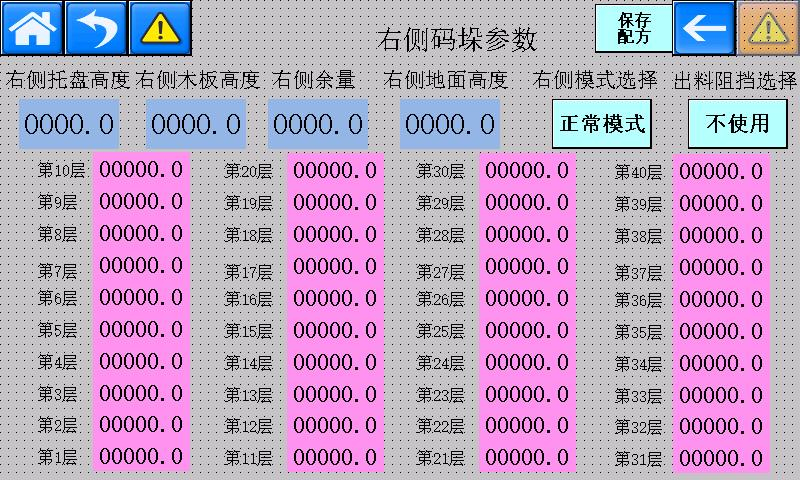
Right-Side Palletizing Parameters
① Mode Selection: Normal Mode / Alternating-Orientation Stacking Mode. When pallets need to be stacked in alternating directions, select Alternating-Orientation Stacking Mode. This mode applies when the pallet block width is less than 100 mm.
② Discharge Stop Selection: When the pallet widths at the two nailing stations are different, select the stop cylinder to limit the pallet position and ensure that the pallet remains centered during gripping and lifting.
1.5 Recipe Interface
 :Click to Enter the Recipe Editing Interface。
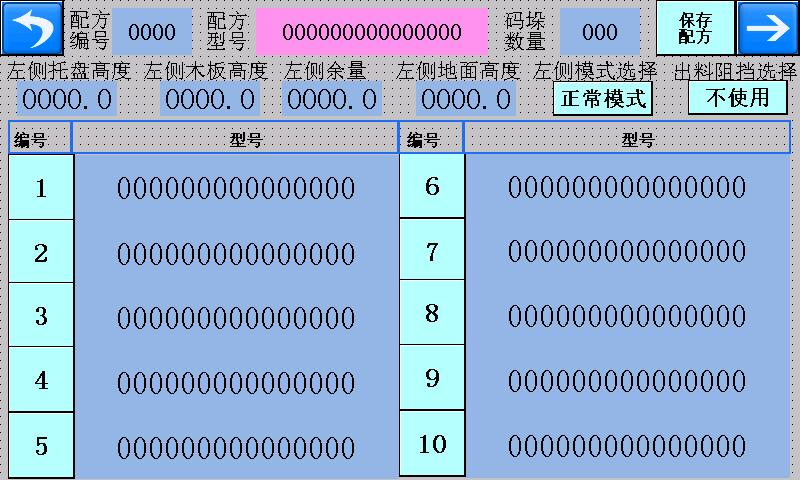
Left-Side Recipe Editing Interface
- Left Pallet Height: The total height of the pallet to be processed.
- Left Wood Board Height: In Alternating-Orientation Stacking Mode, the total height of two pallets stacked in opposite orientations minus the total height of one pallet.
- Left Clearance: The spacing maintained by the robot arm when placing the next pallet to prevent collisions caused by pallet height deviations.
- Left Ground Height: The height of the robot arm above the ground when placing the first pallet.
- Palletizing Quantity: The total height corresponding to the entered pallet quantity must not exceed the robot arm’s total lifting height.
1.6 Alarm Interface
 :Alarm Interface。
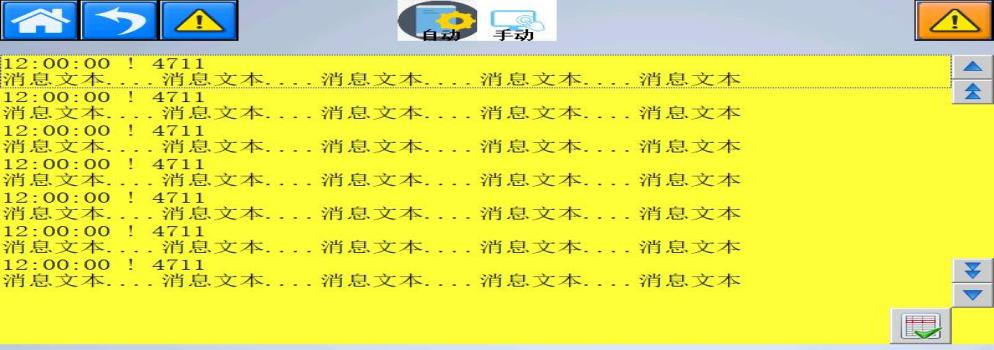
Alarm Display Interface
1.7 Left Nailing Station
 :Click to enter the left nailing station. In manual mode, each individual action can be operated. In automatic mode, the fault/reset indicators display green when the system is operating normally. If an indicator displays red, press and hold the reset button on the control panel to perform a reset.
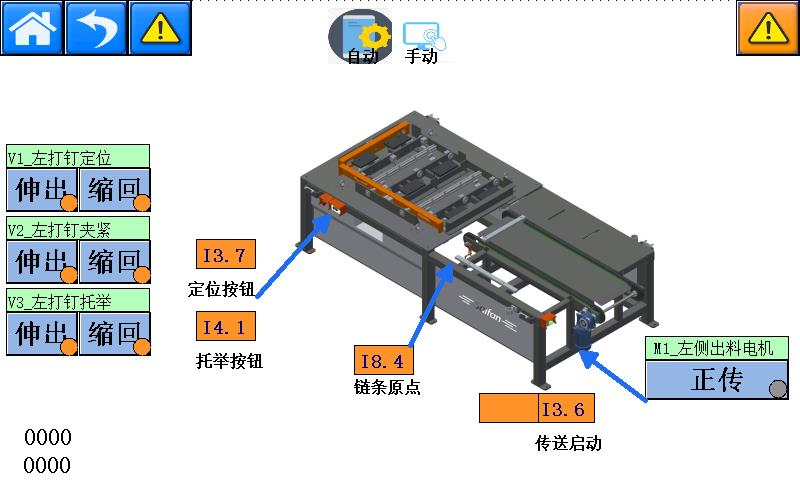
Left Nailing Platform
1.8 Right Nailing Station
 :Click to enter the right nailing station. In manual mode, each individual action can be operated. In automatic mode, the fault/reset indicator displays green when the system is operating normally. If it displays red, press and hold the reset button on the control panel to reset the system.
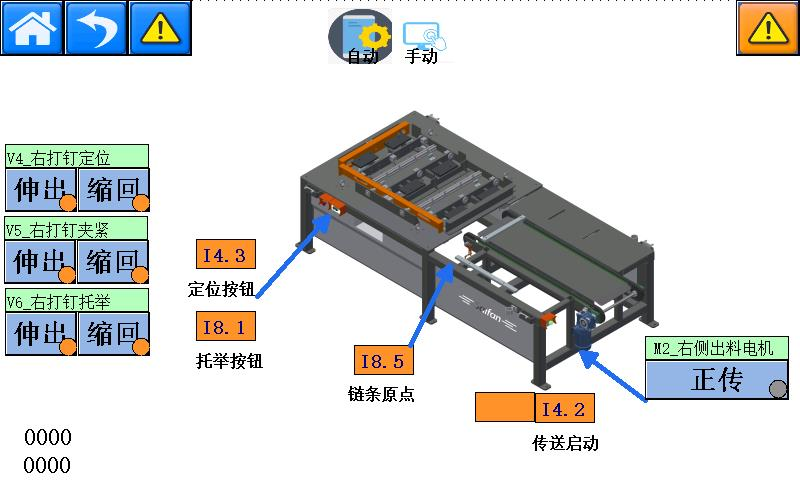
Right Nailing Platform
1.9 Transfer and Turning Station
 :Click to Enter the Transfer and Turning Station。
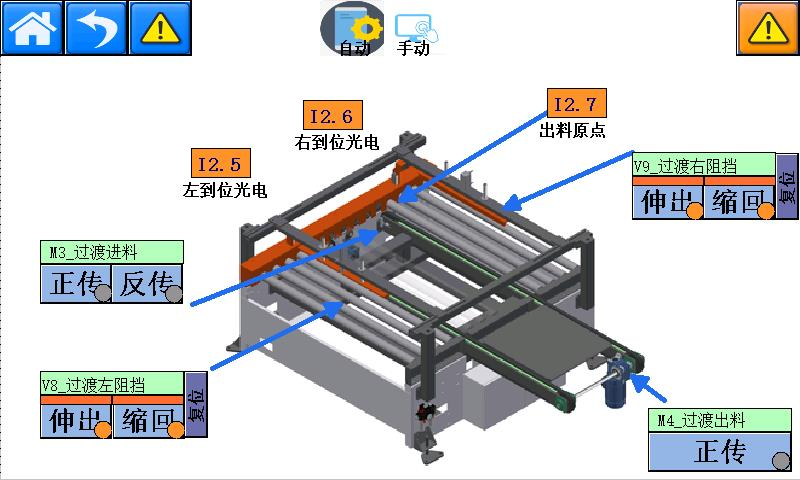
Transfer and Turning Station
1.10 Discharge Conveyor Station
 :Click to Enter the Discharge Conveyor Station。
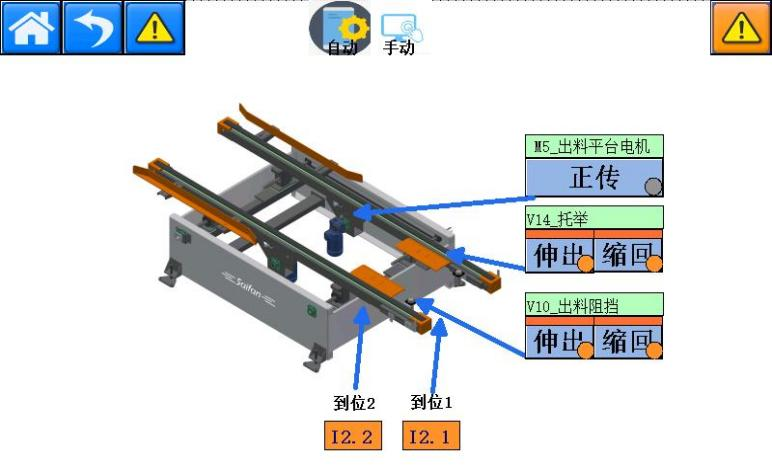
Discharge Conveyor Station
1.11 Robotic Arm Palletizing Station
 :Click to Enter the Robotic Arm Palletizing Station Parameter Settings
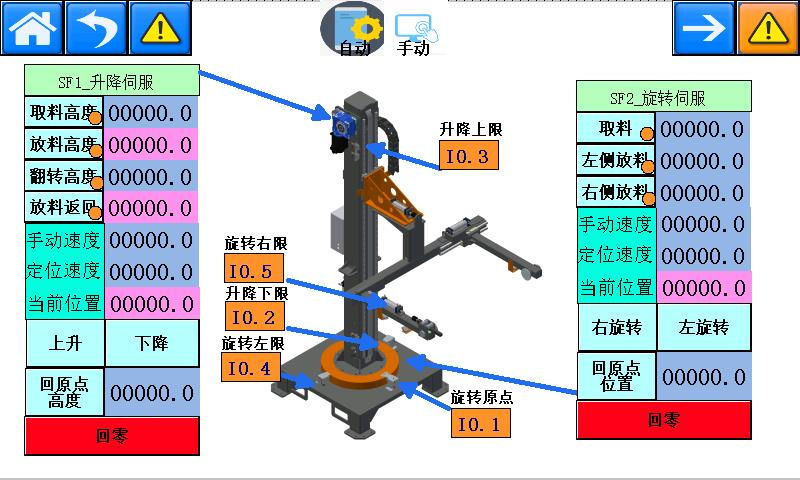
Palletizing Station Parameter Settings
Lifting Servo Parameters:
- Pick-Up Height: The height at which the robotic arm picks up the pallet.
- Pallet Placement Height: Displays the height for placing each pallet. This is a variable value and cannot be set.
- Turning Height: The height at which the pallet is turned over. Set this value to ensure sufficient clearance between the pallet and the pallet below, preventing collisions during turning.
- Return Height After Placement: The height to which the robotic arm returns after palletizing each pallet. This is a variable value and cannot be set.
- Manual Speed: The lifting speed of the robotic arm in manual mode.
- Positioning Speed: The lifting speed of the robotic arm in automatic mode.
- Current Position: Displays the real-time operating height of the robotic arm. This value cannot be set.
- Home Position Height: The height from the lowest point of the robotic arm to the ground when the robotic arm returns to its home position. Measure this height and enter the value here.
 :Move the Robotic Arm Up and Down in Manual Mode。
Rotary Servo Parameters:
- Pick-Up Position: The position to which the robotic arm rotates when picking up the pallet.
- Left-Side Placement Position: The position to which the robotic arm rotates when placing the pallet on the left side.
- Right-Side Placement Position: The position to which the robotic arm rotates when placing the pallet on the right side.
- Manual Speed: The rotation speed of the robotic arm in manual mode.
- Positioning Speed: The rotation speed of the robotic arm in automatic mode.
- Current Position: Displays the real-time rotational position of the robotic arm. This value cannot be set.
- Home Position: The position to which the robotic arm rotates when returning to its home position.
 :Operate the robotic arm’s rotation in manual mode. The robotic arm can rotate only when its height is above the turning height.
 :On this screen, click “Next Page” to enter the manual control interface of the palletizing station.
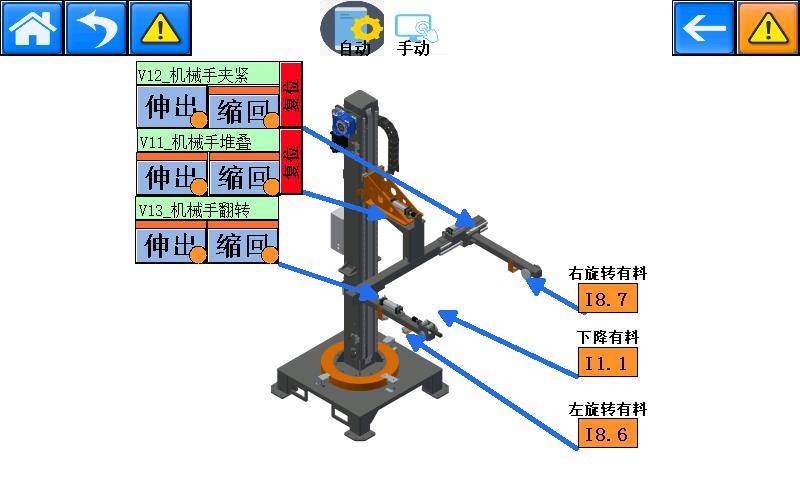
Palletizing Station Manual Control Interface
1.12 Administrator Login
Username: SF
Password: 6666