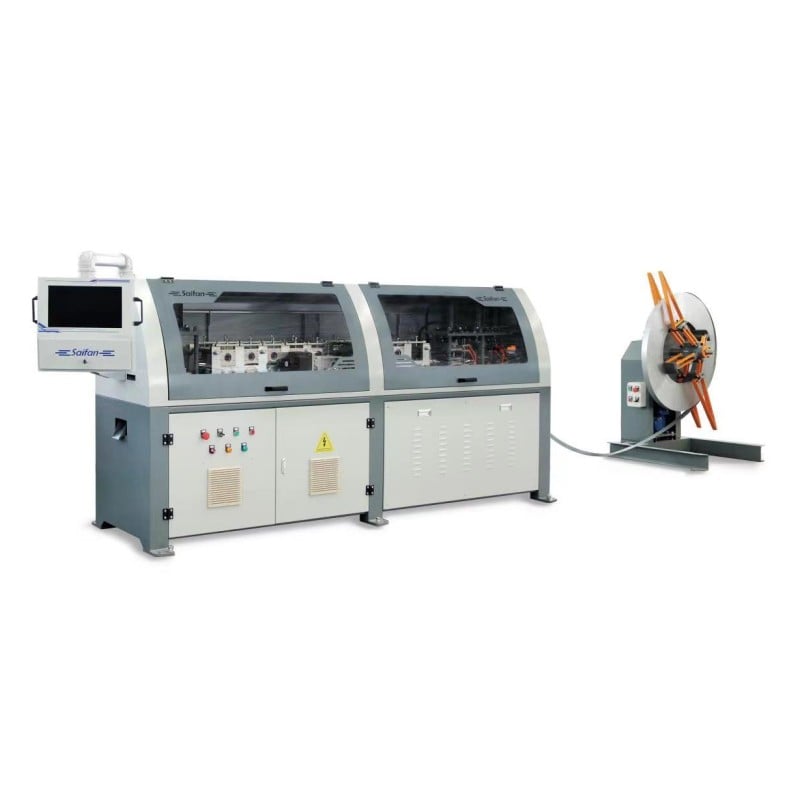
1.1 Interface de démarrage
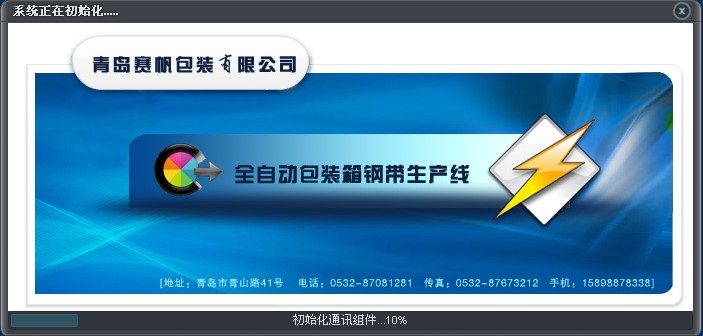 |
 |
| Figure 1.1 |
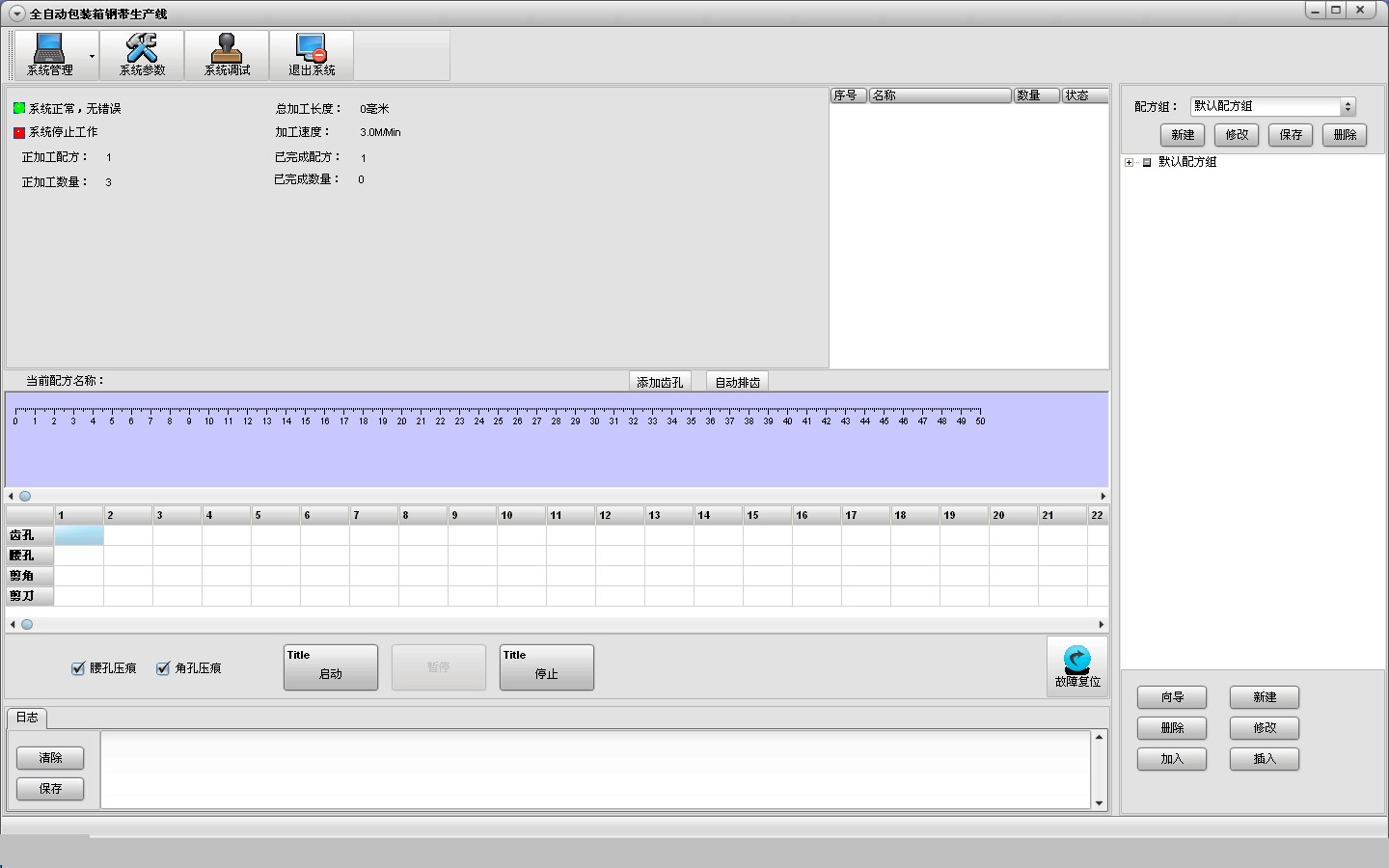
Figure 1.2 |
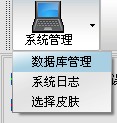
1.2.1 Gestion du système
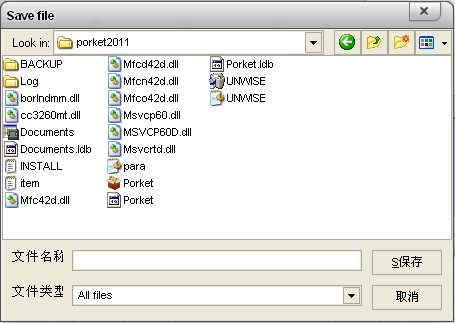
La Figure 1.3 apparaît.
 |
 |
| Figure 1.3 |
Figure 1.4 |
Cliquez sur Gestion de la base de données, comme illustré à la figure 1.4. Dans le champ Nom de fichier, saisissez le format suivant : [nom de la base de données à sauvegarder].mdb ; dans l’option Rechercher dans, sélectionnez le répertoire où vous souhaitez enregistrer le fichier, puis la base de données sera sauvegardée.
Cliquez sur Journal système pour accéder au journal des activités.
Cliquez sur Sélectionner un thème pour modifier l’apparence de l’interface.
1.2.2 Paramètres système
Cliquez sur Paramètres système, puis saisissez le mot de passe 6666, comme indiqué ci-dessous :
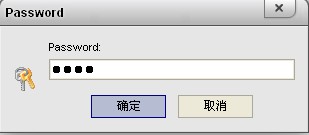
Figure 1.5
Cliquez sur OK, comme illustré ci-dessous :
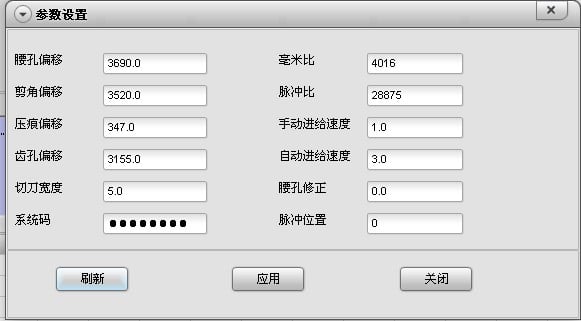
Figure 1.6
Ici, vous pouvez modifier les paramètres système et la vitesse de l’appareil. Pour la méthode précise de modification, reportez-vous à la section 1.5.3.
1.2.3 Débogage système
Cliquez sur Débogage du système. Dans des conditions normales, la colonne de voyants à gauche est bleue et celle à droite est verte, comme suit :
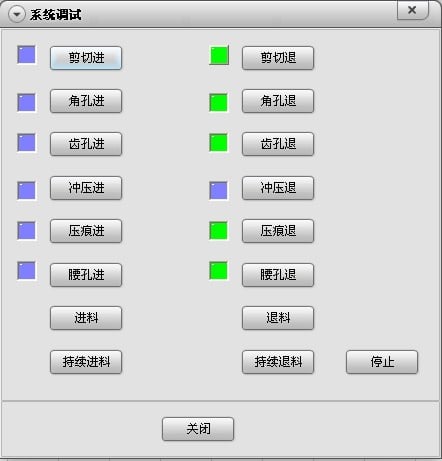
Figure 1.7
Cette interface permet une commande manuelle des actions du moule de l’appareil. Différence entre Alimentation et Alimentation continue : l’Alimentation correspond au mode pas à pas ; la roue de formage s’arrête de tourner dès que vous relâchez le bouton de la souris. L’Alimentation continue correspond à un fonctionnement continu ; vous devez cliquer sur Arrêter la roue de formage pour interrompre la rotation.
1.2.4 Quitter le système
Comme suit:
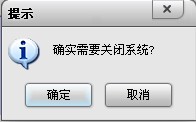
Figure 1.8
Cliquez sur OK pour quitter le système.
1.2.5 Barre d’information sur l’appareil
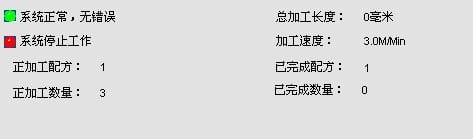
Figure 1.9
Utilisée pour afficher les informations relatives au traitement.
1.2.6 Gestion des groupes de recettes
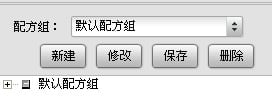
Figure 1.10
Nouveau crée un nouveau groupe, qui peut servir à classer les recettes. Cliquez sur Nouveau, comme suit :
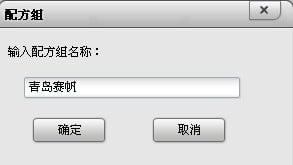
Figure 1.11
Saisissez le nom du groupe de recettes « Qingdao Saifan », puis cliquez sur OK, comme suit :
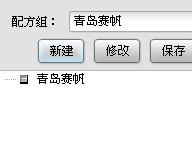
Figure 1.12
Vous pouvez modifier le nom du groupe de recettes. Cliquez sur le nom du groupe « Qingdao Saifan », puis cliquez sur Modifier :
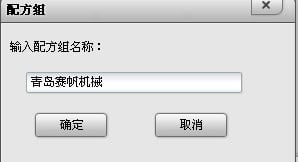
Figure 1.13
Saisissez le nom modifié « Qingdao Saifan Machinery » et confirmez :
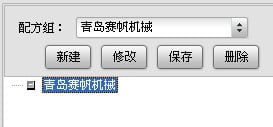
Figure 1.14
Pour supprimer un groupe, vous pouvez le sélectionner dans la flèche déroulante :
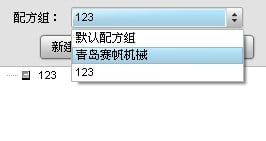
Figure 1.15
Sélectionnez 123, puis cliquez sur Supprimer pour supprimer le groupe 123 et toutes les recettes qu’il contient.
Le bouton Enregistrer n’est pas nécessaire.
1.2.7 Opérations sur les recettes
• Assistant
Cet outil permet de modifier les recettes, en indiquant les dimensions de chaque boîte. Avant de l’utiliser, vous devez d’abord appeler un groupe de recettes afin de les classer. Commencez par appeler « Qingdao Saifan Machinery », puis cliquez sur Assistant :
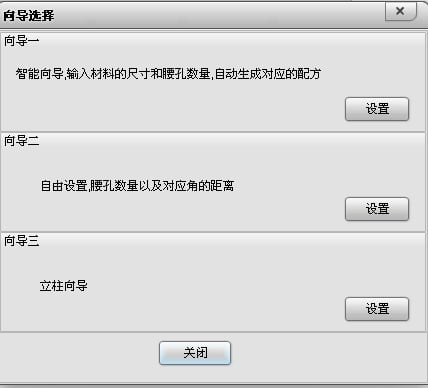
Figure 1.16
Sélectionnez le premier assistant :
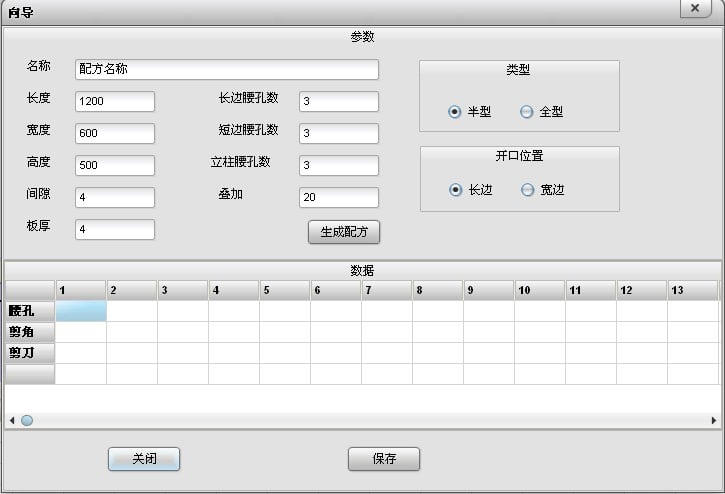
Figure 1.17
Nom : le nom de la boîte.
Longueur : longueur de la caisse.
Largeur : largeur de la caisse.
Hauteur : hauteur de la caisse.
Jeu : dimension dont la sangle en acier dépasse le panneau en bois.
Épaisseur du panneau : épaisseur du panneau en bois.
Nombre de trous de ceinture sur le côté long : nombre de fixations sur le côté long de la caisse.
Nombre de trous de ceinture sur le côté court : nombre de trous de ceinture sur le côté court de la caisse.
Nombre de trous de ceinture sur la colonne : nombre de trous de ceinture disposés verticalement le long de la hauteur de la caisse.
Recouvrement : longueur de la jonction finale de la sangle en acier.
Type demi-enroulage : la sangle en acier entoure la moitié du couvercle inférieur ; deux sangles sont nécessaires pour envelopper complètement le panneau en bois.
Type complet : la sangle en acier entoure le périmètre complet du couvercle inférieur.
Position d’ouverture sur le côté long : après avoir enroulé la sangle en acier, la jonction se situe sur le côté long.
Position d’ouverture sur le côté court : après avoir enroulé la sangle en acier, la jonction se situe sur le côté court.
Après avoir saisi les données correspondantes, cliquez sur Générer la recette :
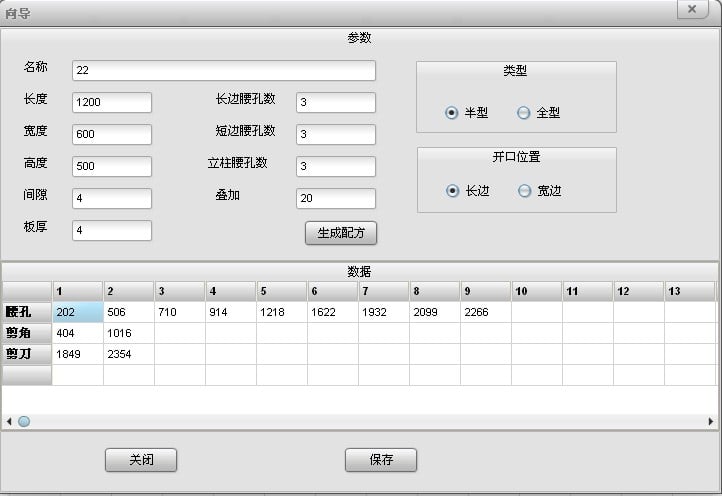
Figure 1.18
Cliquez sur Enregistrer, et une recette 22 est ajoutée sous Saifan Machinery. Désormais, toutes les recettes peuvent être directement recherchées et traitées ici :
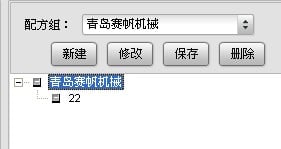
Figure 1.19
Double-cliquez sur 22 :
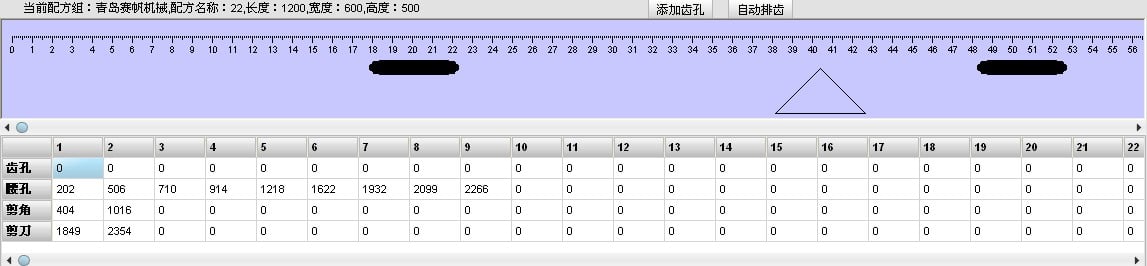
Figure 1.20
Vous pouvez consulter les informations détaillées de cette recette, telles que les graphiques et les données. Cliquez sur Disposer automatiquement les dents ; une fois les trous pour dents positionnés, cette recette peut être traitée :
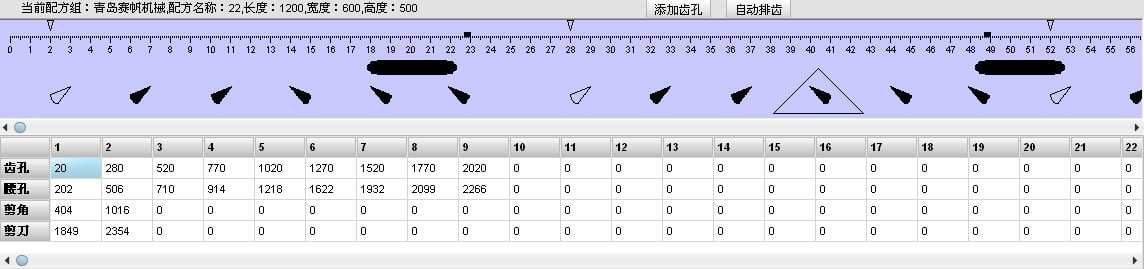
Figure 1.21
Sélectionnez l’assistant n° 2 :
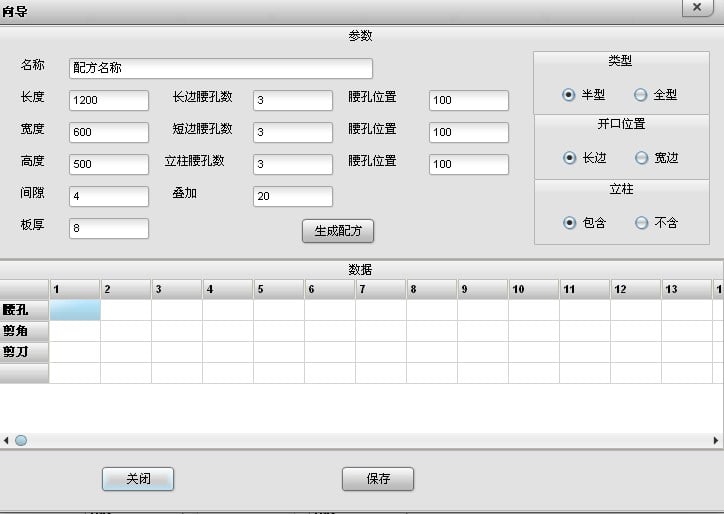
Figure 1.22
À l’exception de la position du trou de taille, tout le reste est identique à l’assistant n° 1.
Position du trou de taille : la distance entre le centre du premier trou de taille sur le côté long et le trou d’angle le plus proche correspond à la position du trou de taille sur le côté long ; la distance entre le centre du premier trou de taille sur le côté large et le trou d’angle le plus proche correspond à la position du trou de taille sur le côté large ; la distance entre le centre du premier trou de taille sur la hauteur et le bord de coupe en hauteur correspond à la position du trou de taille en hauteur.
Colonne incluse ou non incluse : utilisé pour fabriquer séparément le couvercle inférieur.
Sélectionnez l’assistant n° 3 :
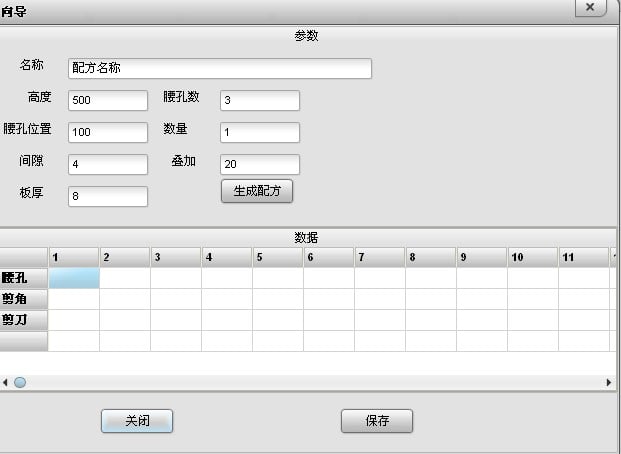
Figure 1.23
Ignorer l’entrefer, l’épaisseur de la planche et le recouvrement. Ici, « Quantité » désigne le nombre de colonnes disposées ensemble pour l’arrangement des dents, et non le nombre de colonnes à traiter.
• Nouveau
Créer une recette vide, applicable aux dimensions non standard :
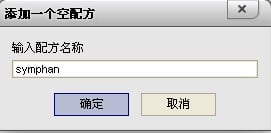
Figure 1.24
Cliquez sur Nouveau, saisissez « symphan », puis confirmez :
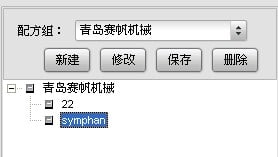
Figure 1.25
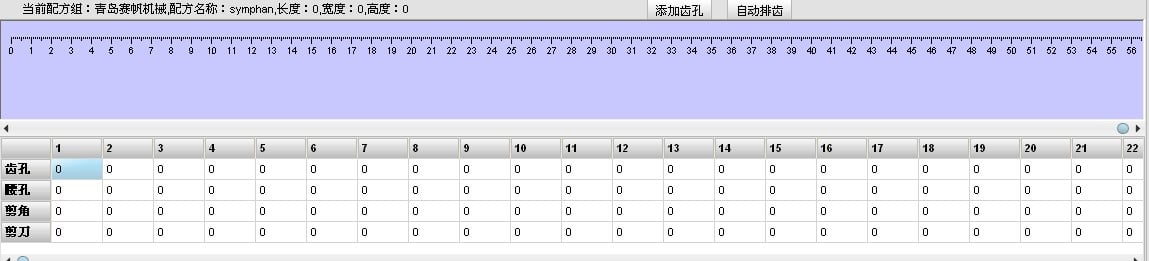
Figure 1.26
Les données doivent être saisies manuellement dans le tableau pour créer des boîtes non standard.
• Supprimer
Sélectionnez d’abord la recette inutilisée, puis cliquez sur Supprimer pour la supprimer.
• Modifier
Sélectionnez la recette dont le nom doit être modifié, puis vous pouvez modifier le nom de la recette :
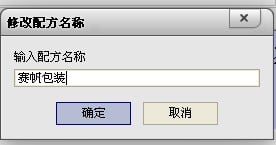
Figure 1.27
Après confirmation, « 22 » devient « Saifan Packaging » :
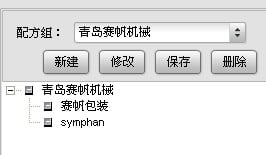
Figure 1.28
• Ajouter
Permet d’ajouter des recettes de la base de données au plan de production. Sélectionnez d’abord la recette à ajouter, puis cliquez sur Ajouter :
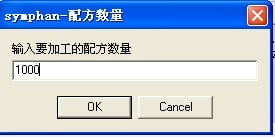
Figure 1.29
Après avoir saisi la quantité, cliquez sur OK :
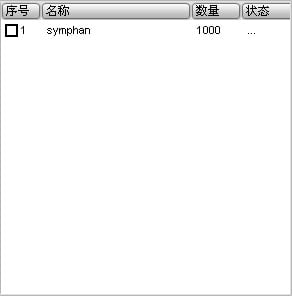
• Insérer
Permet d’insérer une recette urgente : sélectionnez d’abord l’emplacement d’insertion, puis la recette à insérer, et saisissez la quantité.
1.2.8 Zone de contrôle

Figure 1.31
Embossage du trou de taille : utilisé pour aléser le trou de taille.
Embossage du trou d’angle : utilisé pour aléser le trou d’angle.
Réinitialisation des anomalies : utilisé pour restaurer automatiquement l’état de l’appareil.
Journal : messages d’erreur système.
Démarrer, Arrêter, Mettre en pause : utilisés pour faire fonctionner et arrêter l’appareil.

 Actualités chaudes